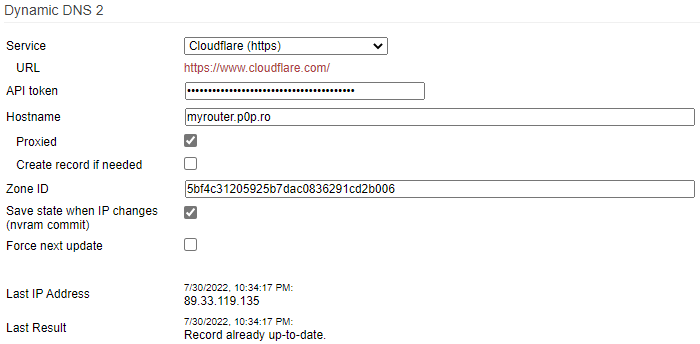
Tutorial on how to configure FreshTomato to use Cloudflare as a Dynamic DNS provider with your own domain.
Cloudflare configuration 🔗
Create new sub-domain in Cloudflare 🔗
Go to Cloudflare > Websites > yourwebsite.com > DNS and create a new A type record

Create “Edit zone DNS” API Token 🔗
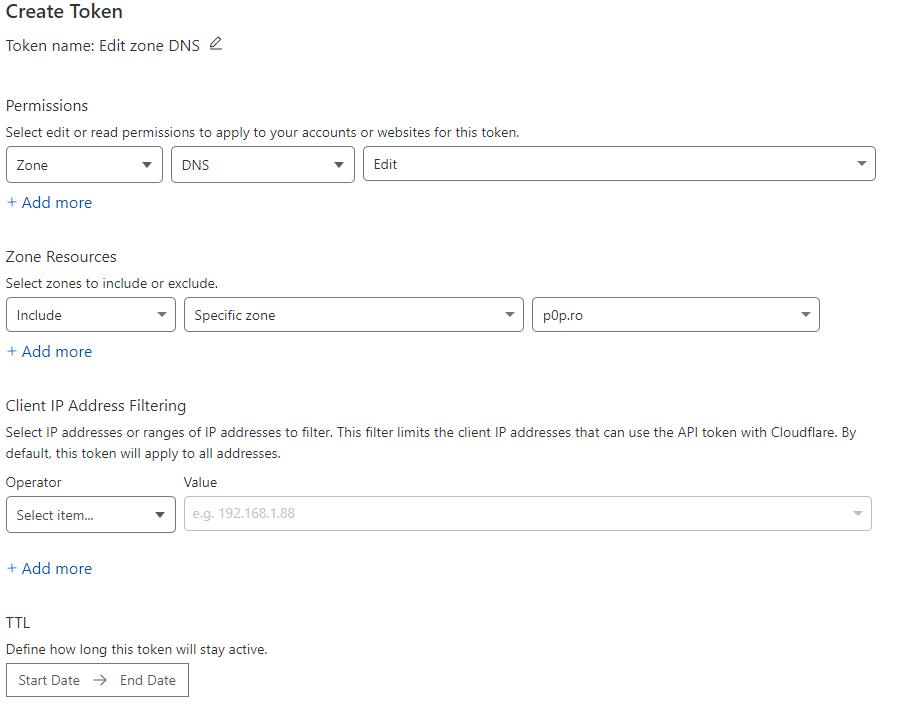
Go to My Profile > API Tokens > Create Token. Use “Edit zone DNS” Template
Get Zone ID 🔗
Go to Websites > Overview and in the lower left corner you should find Zone ID.
FreshTomato configuration 🔗
Go to Basic > DDNS and use service Cloudflare (https) and fill the info as described in the image bellow.